
Run Anime Games on Mac & Linux with Ease YAAGL
YAAGL launches anime games on macOS Linux using Wine, enabling Windows-only titles like Genshin Impact & Honkai Star Rail with improved compatibility.
- Open Source
- Apple Silicon Ready
- Free Forever

Who We Are
Leveling Up Your Experience
YAAGL is a provider dedicated to connecting people with the services and solutions they need. We do not position ourselves as creators, but as a reliable bridge that ensures access, delivery, and consistency. Our focus is on making things available, simple, and efficient for those who depend on us.
At YAAGL, our role is to support and facilitate rather than produce. We prioritize trust, availability, and smooth experiences by ensuring the right resources reach the right people at the right time. We exist to serve as a dependable link in the chain, making access easier and more effective.
50K+
Downloads
100%
Free & Open
4.9★
User Rating
Our Mission
Why YAAGL Exists
We believe gaming should be universal. Here’s what drives us every single day.
Empower Community
No gamer should be locked out of their favorite titles because of their operating system. We make cross-platform gaming a reality.
Peak Performance
Open-source at its core, YAAGL thrives on community contributions. Every feature is shaped by real gamers with real needs.
Always Free
We don’t settle for ‘good enough.’ Our optimization pipeline ensures your games run at native-like performance on macOS.
Cross Platform
No subscriptions. No hidden fees. No ads. YAAGL is and always will be completely free for everyone.
Features
Packed with Power
Every feature is engineered to deliver the ultimate anime gaming experience on your Mac.
One-Click Launch
Skip the complex setup. Select your game, hit play, and dive straight into the action. It’s gaming, simplified.
One-Click Launch
Skip the complex setup. Select your game, hit play, and dive straight into the action. It’s gaming, simplified.
One-Click Launch
Skip the complex setup. Select your game, hit play, and dive straight into the action. It’s gaming, simplified.
One-Click Launch
Skip the complex setup. Select your game, hit play, and dive straight into the action. It’s gaming, simplified.
One-Click Launch
Skip the complex setup. Select your game, hit play, and dive straight into the action. It’s gaming, simplified.
One-Click Launch
Skip the complex setup. Select your game, hit play, and dive straight into the action. It’s gaming, simplified.
Benefits
Why Gamers Love YAAGL
Effortless Setup
Download, install, play. No technical expertise needed — YAAGL handles everything automatically.
Native macOS Feel
Beautiful, native macOS interface that feels right at home on your Mac. No ugly Windows emulation layers.
Online Play Ready
Full online multiplayer support. Play with friends, join co-op sessions, and never miss an event.
Instant Updates
Game patches and updates are applied automatically. Always stay on the latest version without manual intervention.
Active Community
Join thousands of Mac gamers sharing tips, troubleshooting guides, and celebrating new game releases together.
Customizable Experience
Fine-tune graphics settings, keybindings, and performance profiles to match your exact preferences.
Compatibility
Works on Every Mac
Whether you’re rocking the latest M4 MacBook Pro or a trusty 2018 Intel Mac, YAAGL has you covered.
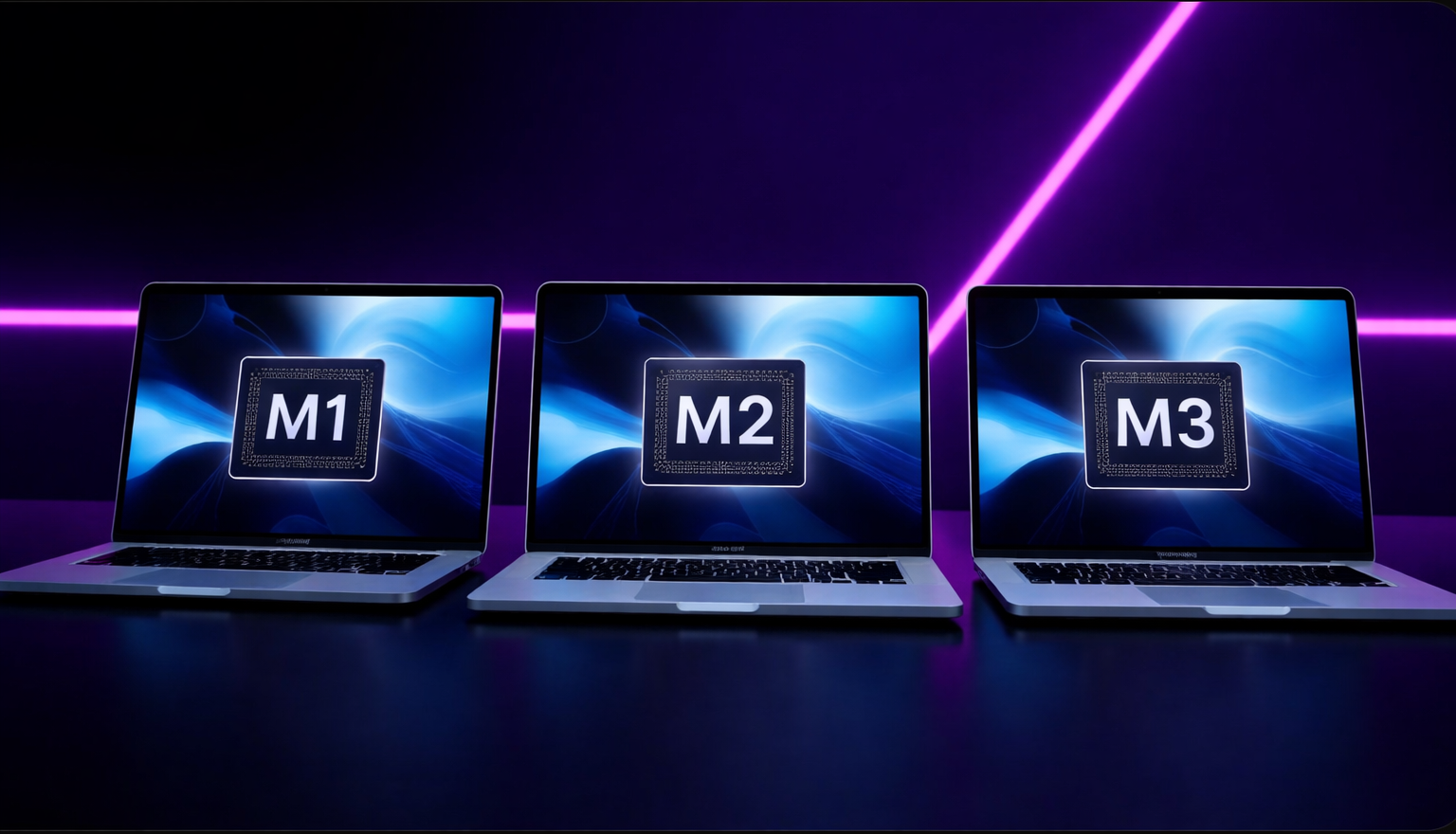
Apple M1
Apple M2
Apple M3 / M4
Intel (2018+)
Installation
Up and Running in Minutes
01
Download YAAGL
Grab the latest release from our GitHub page. Choose the right version for your Mac — Apple Silicon or Intel.
02
Install the App
Drag YAAGL into your Applications folder. If macOS warns about an unidentified developer, right-click and select Open.
03
Configure Your Games
Launch YAAGL and select which games to install. The launcher will handle downloading game files and dependencies.
04
Start Playing!
Hit the play button and dive into Teyvat or board the Astral Express. It’s that simple — no terminal commands required.
Ready to Play ?
Join over 50,000 Mac gamers who’ve already made the switch. Download YAAGL and experience anime gaming like never before.
- 12.5K Stars
- v3.2.1 • 48MB
- macOS 12.0+
Troubleshoot
Quick Fixes
Running into issues? Here are solutions to the most common problems.
YAAGL won't open — 'unidentified developer' warning
Right-click the app icon and select ‘Open’ from the context menu. Alternatively, go to System Preferences → Security & Privacy → General and click ‘Open Anyway’.
Game crashes immediately after launch
Ensure your macOS is updated to at least version 12.0. Try deleting the game cache by navigating to ~/Library/Application Support/YAAGL and removing the cache folder, then relaunch.
Slow performance or frame drops
Close background applications to free up RAM. In YAAGL settings, try lowering the rendering resolution or switching to medium graphics preset. For Intel Macs, ensure your Mac isn’t in power-saving mode.
Game files fail to download
Check your internet connection and available disk space (you’ll need at least 30GB free). If downloads stall, try switching to a different DNS server (like 1.1.1.1 or 8.8.8.8) or using a VPN.
Controller not detected
YAAGL supports most Bluetooth controllers. Ensure your controller is paired via System Preferences → Bluetooth. For PS5 DualSense or Xbox controllers, make sure you’re running macOS 13 or later for full support.
Under the Hood
How YAAGL Works
YAAGL bridges the gap between Windows-only games and macOS using cutting-edge translation technology.

Wine/CrossOver
Windows API Bridge
YAAGL Launcher
Translation Layer
Your Mac
macOS Application
Your Screen
60 FPS Gaming
Game Engine
DirectX → Metal
FAQs
How YAAGL Works
Everything you need to know about YAAGL, from basics to advanced troubleshooting.
What is YAAGL?
YAAGL (Yet Another Anime Game Launcher) is a free, open-source launcher that allows you to run anime games like Genshin Impact and Honkai: Star Rail on macOS.
Who is YAAGL for?
It’s designed for Mac users (Intel & Apple Silicon) who want to play anime games that are normally Windows-only.
Is YAAGL safe to use?
Yes, it’s open-source, meaning its code is publicly available and transparent. However, always download from official sources.
Does YAAGL modify the game files?
No, YAAGL acts as a launcher/compatibility layer, not a modding tool.
Is YAAGL legal?
Yes, it’s legal because it doesn’t pirate or alter games—it simply helps run them on macOS.
What games does YAAGL support?
Mainly anime-style games like:
- Genshin Impact
- Honkai: Star Rail
- (Support may expand over time)
Does YAAGL support automatic updates?
Yes, it can manage updates for supported games.
Can YAAGL improve performance?
It doesn’t “boost” performance directly but uses compatibility tools to make games playable on Mac.
Does YAAGL support controllers?
Yes, most controllers supported by macOS will work.
Does YAAGL have a GUI?
Yes, it provides a user-friendly interface for launching and managing games.
Does YAAGL work on Apple Silicon (M1/M2/M3)?
Yes, it supports Apple Silicon Macs natively.
Does it work on Intel Macs?
Yes, YAAGL works on both Intel and Apple Silicon Macs.
Which macOS versions are supported?
Generally macOS 12+ (Monterey and later) is recommended.
Does YAAGL require Rosetta 2?
On Apple Silicon, some components may require Rosetta 2.
Can YAAGL run on Windows or Linux?
No, YAAGL is specifically built for macOS users.
How do I install YAAGL?
- Download from the official repository
- Drag to Applications
- Launch and configure
Do I need additional tools?
Yes, YAAGL may require:
- Wine / compatibility layers
- Game files from official sources
How do I install games in YAAGL?
You typically:
- Log in to your game account
- Let YAAGL handle installation or link game files
Is setup complicated?
It can be moderately technical, especially for beginners.
Does YAAGL require admin permissions?
Some setup steps may require system permissions, especially for compatibility layers.
Why is my game not launching?
Common reasons:
- Missing dependencies
- Incorrect setup
- macOS compatibility issues
Why is performance laggy?
Possible causes:
- Low RAM
- Incorrect graphics settings
- Compatibility overhead
How do I fix crashes?
- Update YAAGL
- Update macOS
- Reinstall dependencies
Why can’t I log in?
- Server issues
- Account restrictions
- Incorrect credentials
Where can I get help?
- GitHub issues page
- Community forums
- Discord groups (if available)
YAAGL – Play Anime Games on macOS & Linux
YAAGL brings anime games to macOS and Linux. Enjoy Genshin Impact, Honkai Star Rail, and more with improved Wine compatibility. #YAAGL
Price: Free
Price Currency: $
Operating System: Mac, Linux
Application Category: Software
4.7